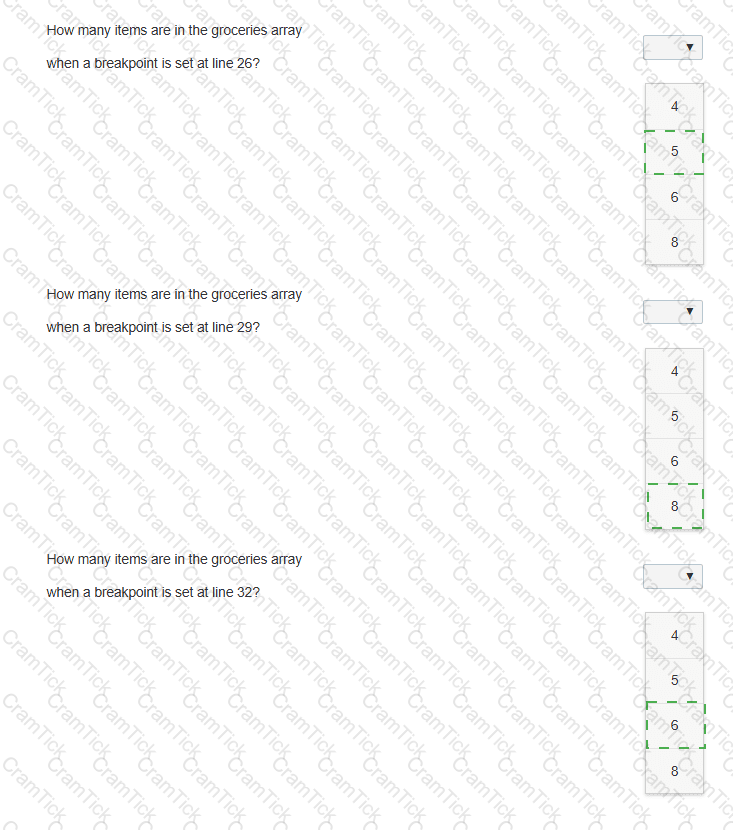
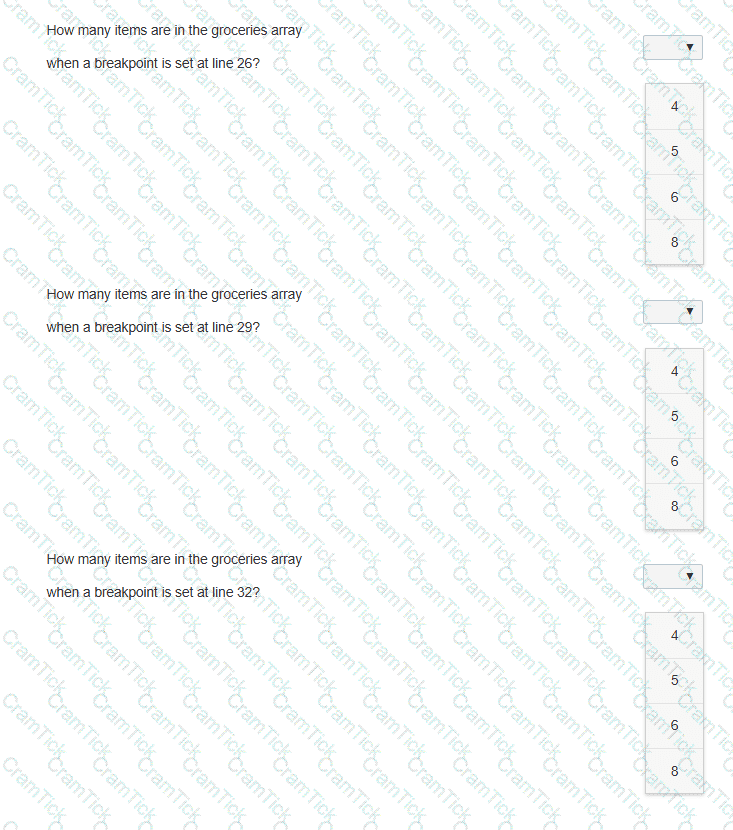
The following code adds items to the groceries array from the other arrays. Line numbers are for reference only.
01 < body >
02 < p id= " list " > < /p >
03 < script >
04 var groceries = [];
05 var dairy = [ " Milk " , " Eggs " , " Cheese " , " Ice Cream " ];
06 var beverages = [ " Juice " , " Water " , " Soda " , " Coffee " ];
07 var fruits = [ " Apples " , " Bananas " , " Grapes " , " Oranges " , " Strawberries " ];
08 var vegetables = [ " Broccoli " , " Carrots " , " Lettuce " , " Spinach " , " Tomatoes " ];
09 var meats = [ " Beef " , " Chicken " , " Pork " ];
10
11 function addVegetables() {
12 groceries = groceries.concat(vegetables);
13 }
14
15 function addFruits() {
16 groceries = groceries.concat(fruits);
17 }
18
19 function addOther() {
20 groceries.push(meats[1]);
21 groceries.push(dairy[3]);
22 }
23
24 fruits.shift();
25 addVegetables();
26
27 groceries.shift();
28 addFruits();
29
30 groceries.pop();
31 groceries.shift();
32
33 addOther();
34 document.getElementById( " list " ).innerHTML = groceries;
You need to debug the code on the left to determine how many items are in the groceries array at the specified breakpoints.
Evaluate the code and answer the questions by selecting the correct option from each drop-down list.
Note: You will receive partial credit for each correct answer.
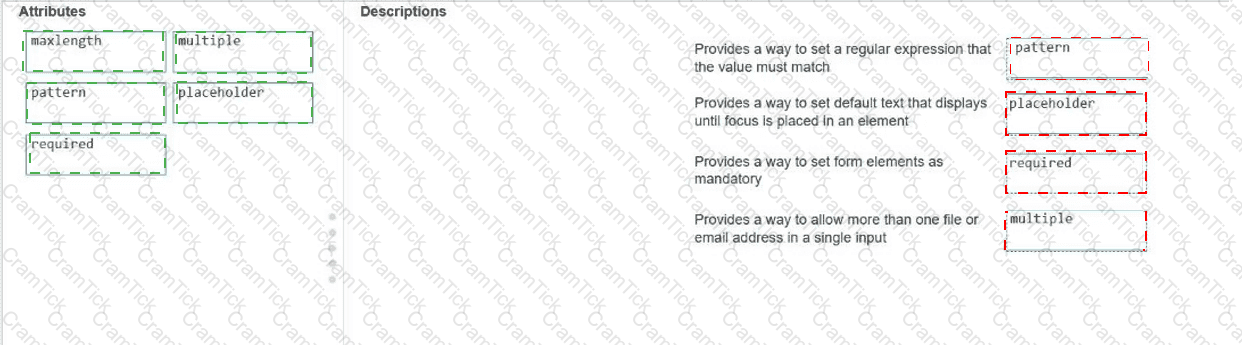
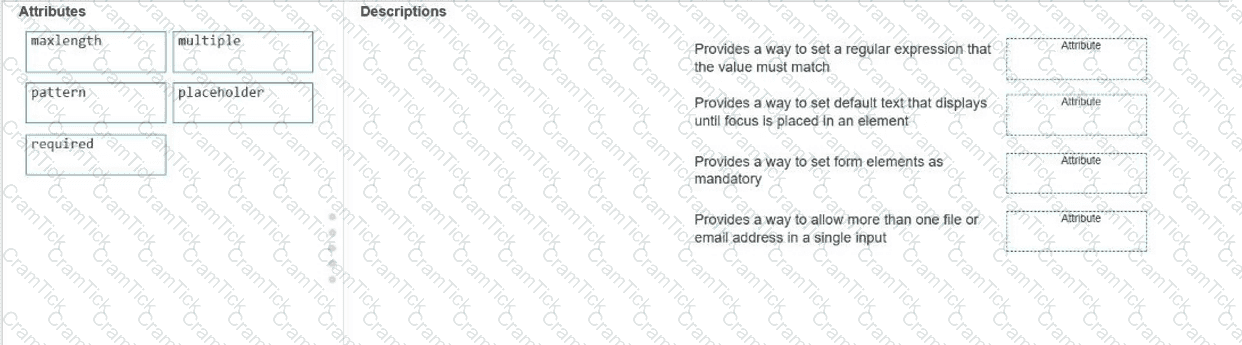
Move the appropriate attributes from the list on the left to the correct descriptions on the right. You may use each attribute once, more than once, or not at all.
Note: You will receive partial credit for each correct match.
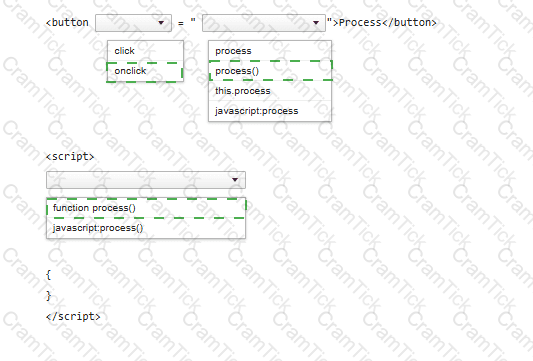
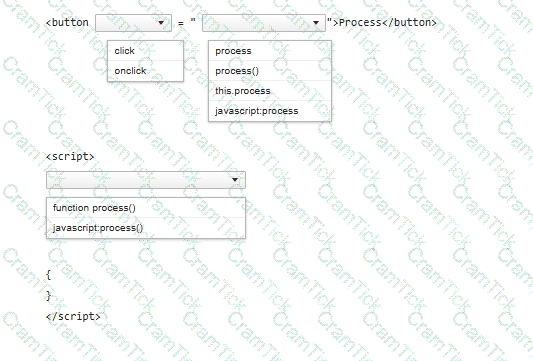
You need to call a function named process when a user clicks a button.
Complete the code by selecting the correct option from each drop-down list.
Note: You will receive partial credit for each correct selection.
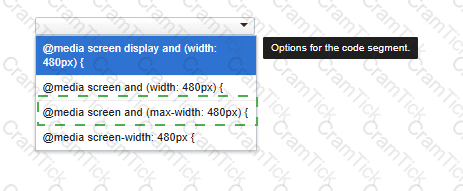
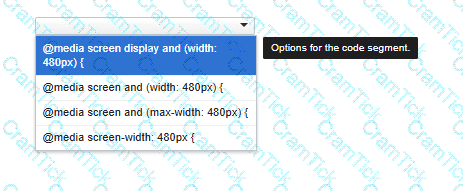
You need to correctly apply a style rule for screen devices with a width of 480 pixels or less.
Complete the code by selecting the correct option from the drop-down list.
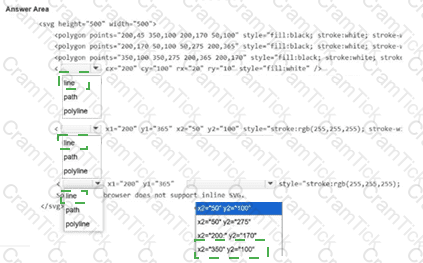
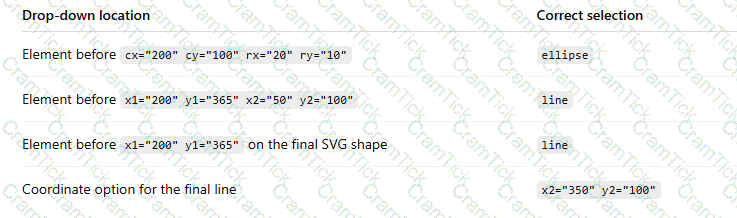
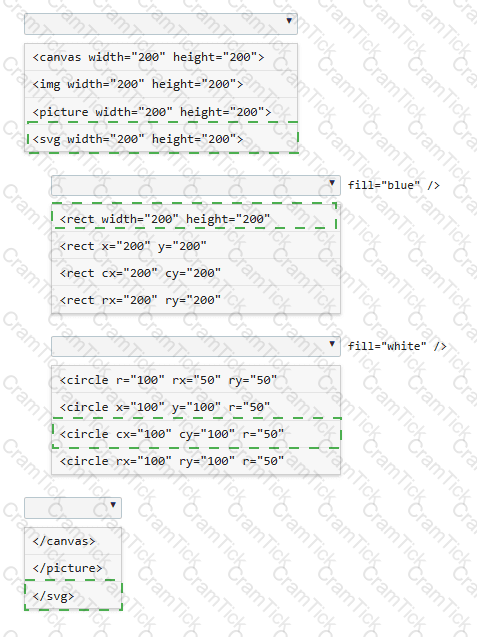
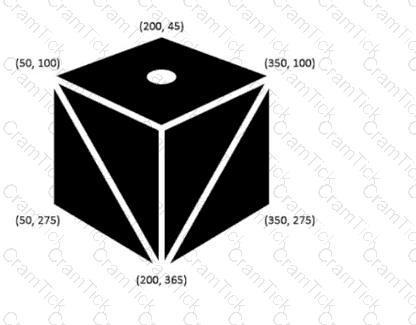
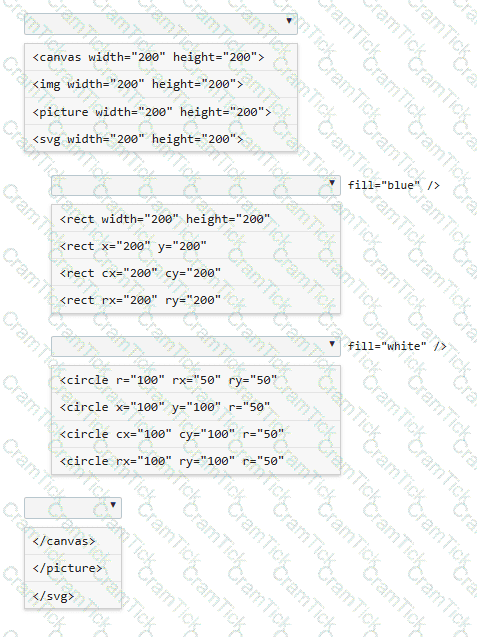
The logo shown is displayed on a web page as an SVG.
Note: The coordinate values are labeled for reference.
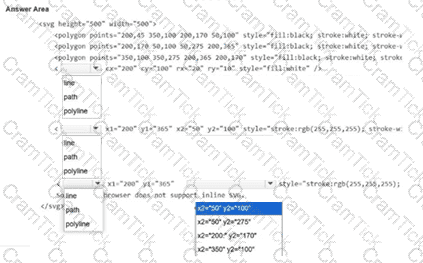
Evaluate the image on the left and complete the markup by selecting the correct option from each drop-down list.
Note: You will receive partial credit for each correct selection.
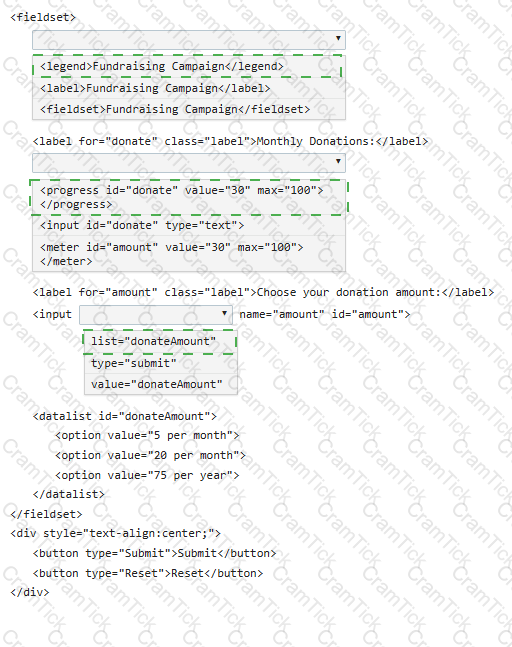
You need to create the following form:
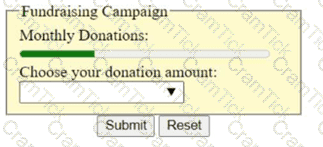
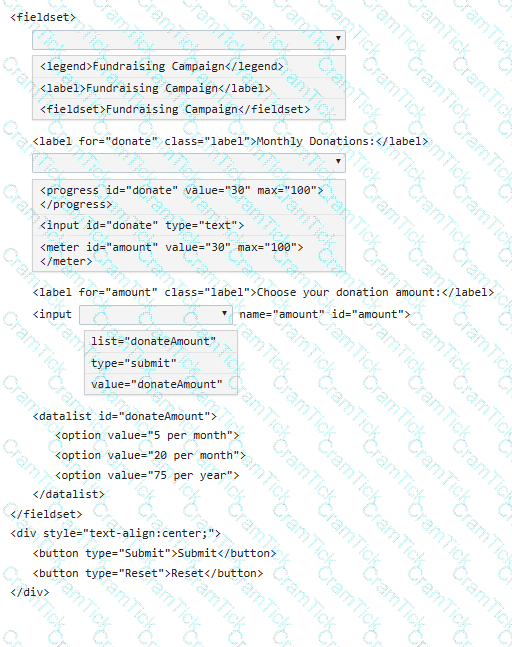
Complete the code by selecting the correct option from each drop-down list.
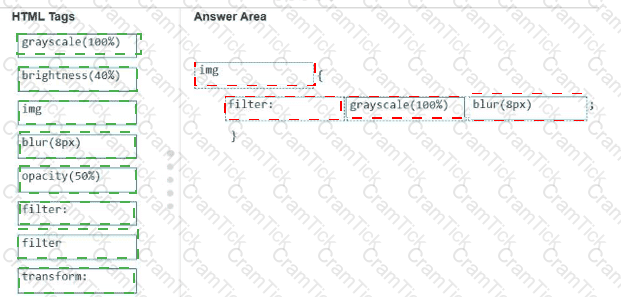
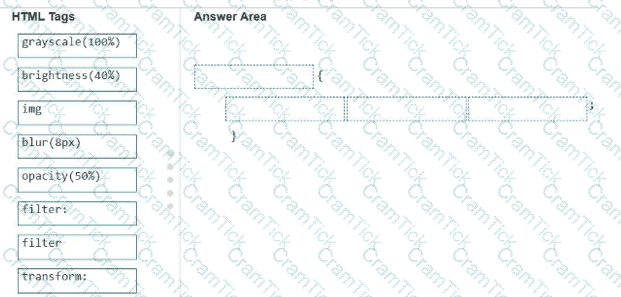
A local photographer asks you to add filters as shown to the images in their photo gallery so that the images are not recognizable until authorized users log in.
Example of original and filtered images:
Original image: full-color flower image
Filtered image: blurred grayscale image

Analyze the images on the left.
Construct a CSS selector that will apply the appropriate filters to the images to meet the requirements.
Complete the markup by moving the appropriate HTML tags from the list on the left to the correct locations on the right. You may use each HTML tag once, more than once, or not at all.
Note: There is more than one correct markup. You will receive credit for any correct markup completion.
You need to draw a blue rectangle that meets these conditions:
• It is 200 by 200 pixels.
• It contains a white circle that is centered within the rectangle.
• The circle has a 50-pixel radius.
• The image should appear as follows: a blue square with a centered white circle.
Refer to the image on the left.
You need to ensure that the image scales without distortion when the page is resized. You must not be required to use JavaScript.
Complete the code by selecting the correct option from each drop-down list.
Note: You will receive partial credit for each correct selection.
Which code segment correctly displays images with 80% transparency and a blue 8px shadow?
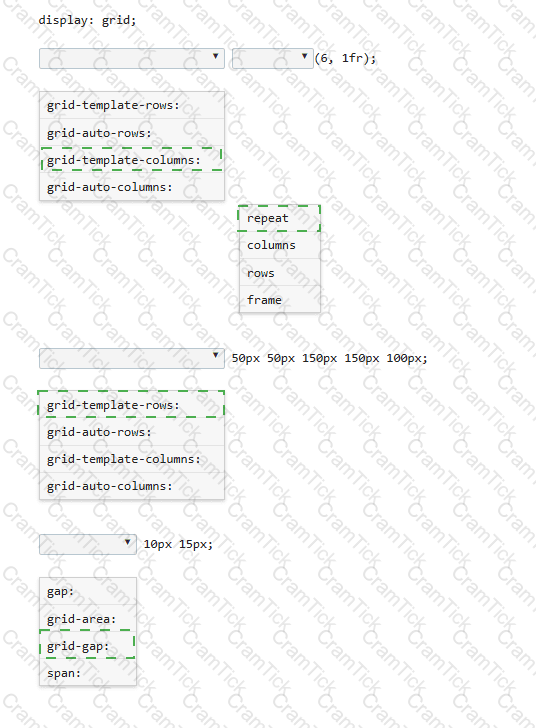
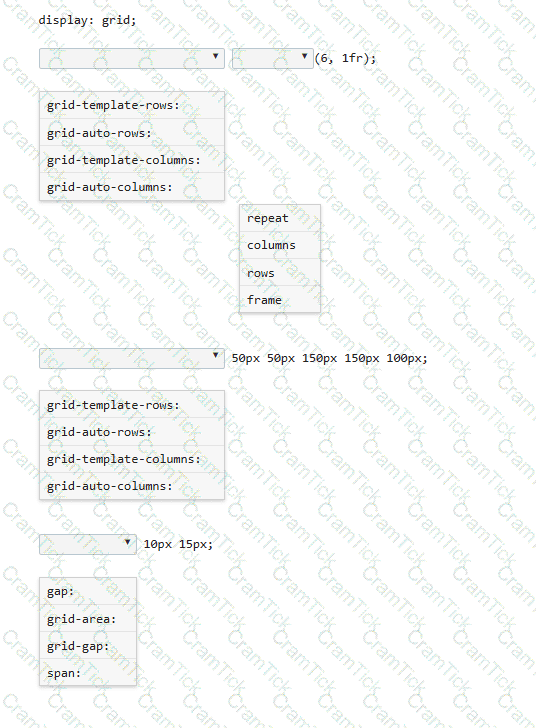
You need to define a grid that meets the following requirements:
• Explicitly sets the width of 6 equal columns of 1 fraction
• Explicitly sets 5 varied sized rows
• Defines 15px of space between each grid column
• Defines 10px between each grid row
Complete the code by selecting the correct option from each drop-down list.
Which CSS property defines the sides of an element where other floating elements are not allowed?
The following form is missing validation attributes:
< form >
< div class= " container " >
< h1 > Register Here < /h1 >
< p > Please fill in the details to create an account with us. < /p >
< hr >
< label for= " ? " > < b > Enter Email < /b > < /label >
< input type= " ? " placeholder= " Enter Email " name= " ? " placeholder= " username@domain.com " >
< label for= " ? " > < b > Password < /b > < /label >
< input type= " ? " placeholder= " Enter Password " name= " ? " >
< label for= " ? " > < b > Confirm Password < /b > < /label >
< input type= " ? " placeholder= " Confirm Password " name= " ? " >
< label for= " phone " > < b > Phone < /b > < /label >
< input type= " tel " id= " phone " name= " phone " placeholder= " 123-45-678 " >
< hr >
< p > By creating an account you agree to our < a href= " # " > Terms & Privacy < /a > . < /p >
< button type= " submit " class= " registerbtn " > < strong > Register < /strong > < /button >
< /div >
< /form >
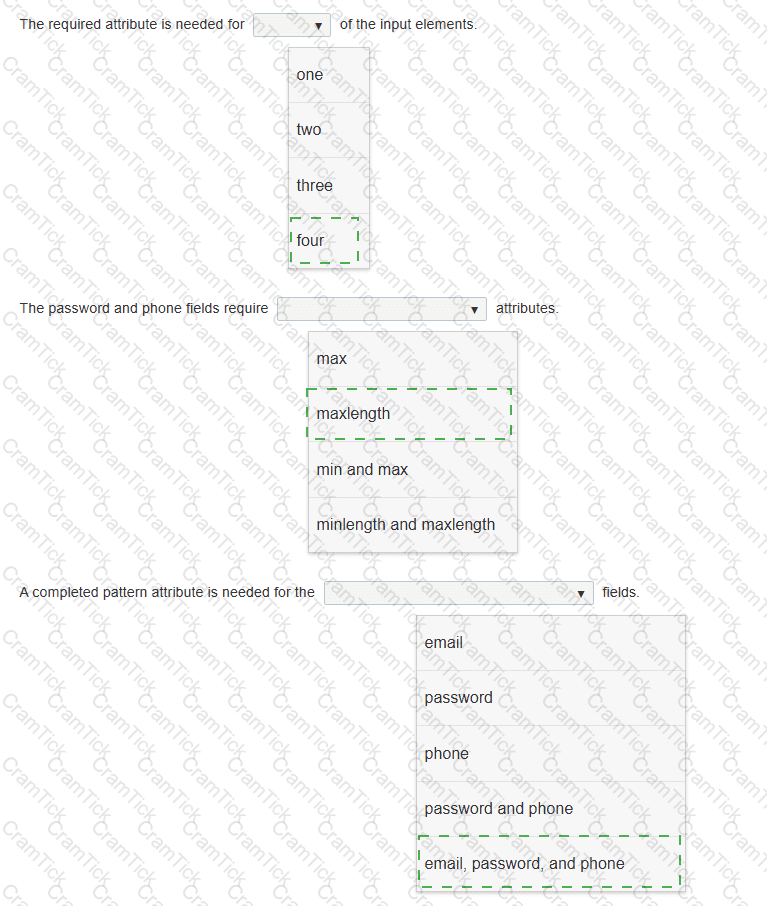
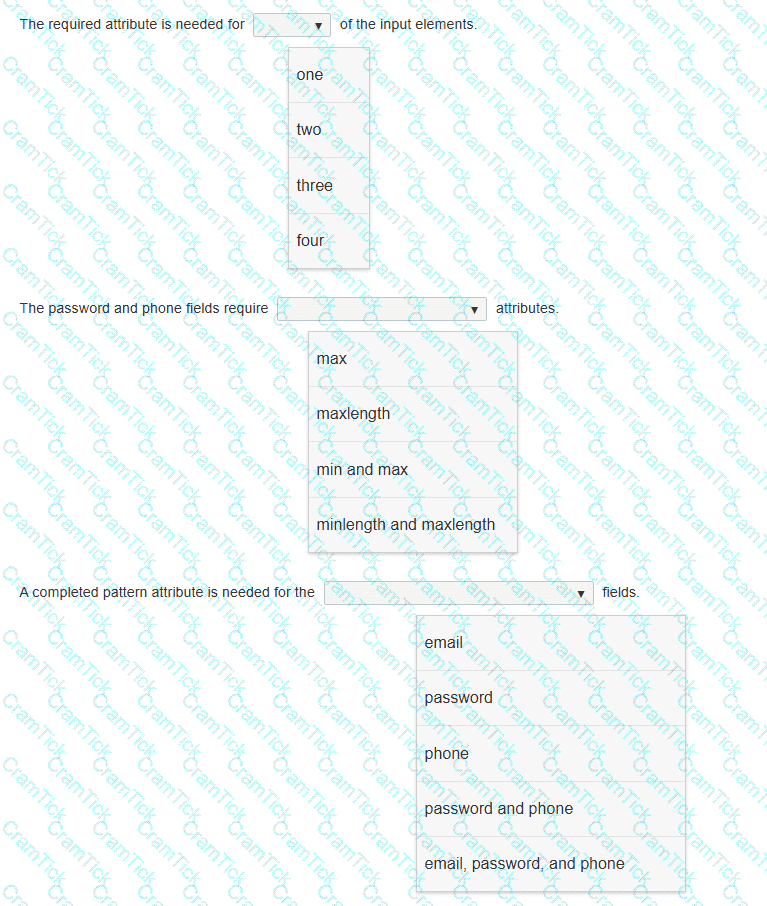
You need to update the form to enforce the following requirements for visitors:
• All fields must be completed with valid information.
• The users should not be allowed to type passwords longer than 8 characters.
• Passwords must use only numbers and letters.
• Phone numbers and email addresses must follow the configuration of the placeholder text.
• The browser must display an error message that makes it clear what type of input change is needed.
Review the markup on the left.
Complete the sentences by selecting the correct option from each drop-down list.
Note: You will receive partial credit for each correct selection.
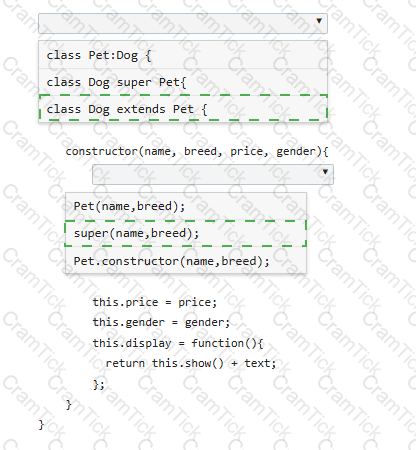
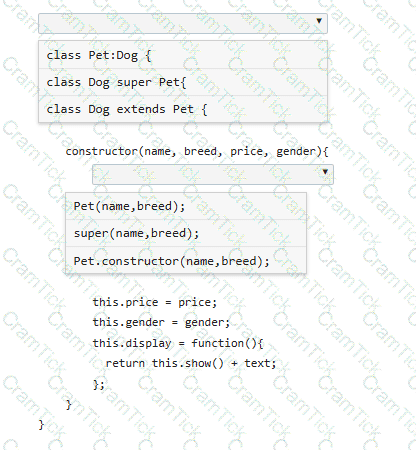
You define the Pet class as follows:
class Pet {
constructor(name, breed) {
this.name = name;
this.breed = breed;
this.show = function() {
var text = " < p > Your pet ' s name is " + name + " . The pet ' s breed is " + breed + " . < /p > " ;
return text;
};
}
}
You need to derive a Dog class from the Pet class.
Complete the code by selecting the correct option from each drop-down list.
Note: You will receive partial credit for each correct selection.

TESTED 06 Oct 2026